Best AI Video Generators in 2026: 10 AI Video Tools Compared
Discover the best AI video generators in 2026. Compare Google Veo, Runway, Luma, Synthesia, and other AI video tools for text-to-video, image-to-video, AI avatars, audio generation, YouTube, social media, and professional content creation.
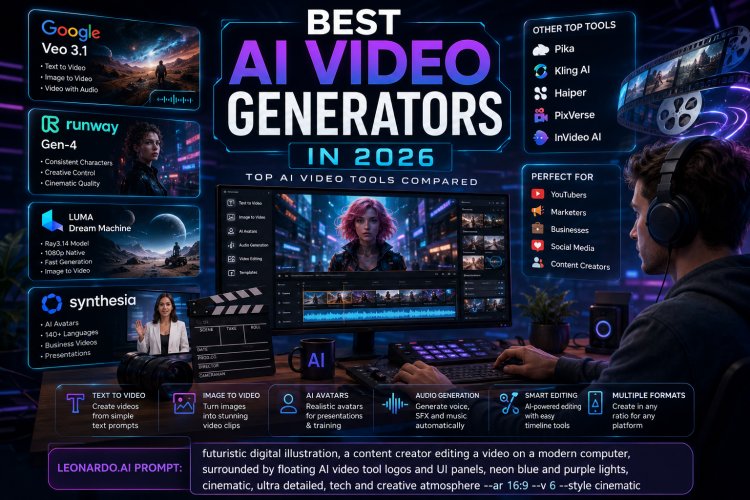
Best AI Video Generators in 2026: 10 AI Video Tools Compared
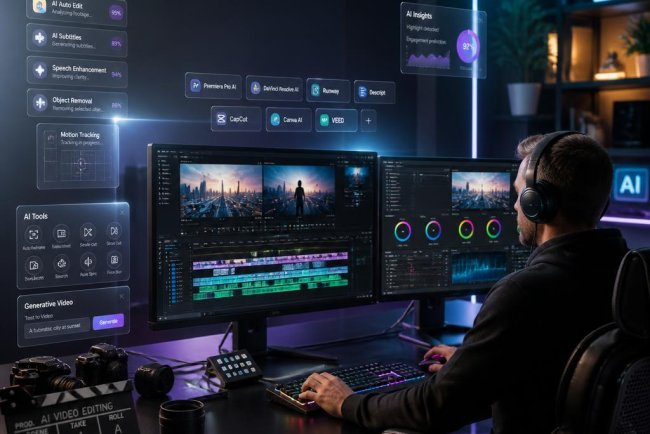
```AI video generators have moved far beyond simple text-to-video experiments. In 2026, creators can generate cinematic scenes, animate images, create presenter videos, add synchronized audio, modify existing footage, and build social-media content with AI-assisted workflows.
But choosing the best AI video generator is not as simple as picking the tool with the most impressive demo. Different platforms are designed for completely different jobs. ```
Quick Answer: What Is the Best AI Video Generator in 2026?
```There is no single AI video generator that is best for everyone. Your best choice depends on whether you need cinematic footage, social-media content, AI presenters, image-to-video generation, professional editing, or a complete video-production workflow.
- Google Veo: Excellent choice for realistic generative video and native audio.
- Runway: Strong option for creators who need control, consistency and professional creative workflows.
- Luma Dream Machine: Strong choice for fast creative generation and image-to-video workflows.
- Synthesia: Particularly useful for business presentations, training and AI-avatar videos.
- Other specialized AI video platforms: Useful for social content, UGC, animation, marketing and specific production workflows.
The right choice ultimately depends on the type of video you want to produce, how much control you need, and how frequently you expect to generate content. ```
What Is an AI Video Generator?
```An AI video generator is software that uses artificial intelligence models to create or transform video content from instructions such as text prompts, images, existing footage or scripts.
Depending on the platform, you may be able to describe a scene in natural language and generate a video, turn a still image into an animated sequence, modify an existing clip, create an AI presenter, or combine generated scenes into a finished video.
Modern systems are increasingly capable of understanding elements such as camera movement, subject appearance, lighting, environments, motion and audio. Google's current Veo generation, for example, supports text-to-video, image-to-video and video generation with audio, while Runway's Gen-4 focuses heavily on consistency of characters, objects and environments. Luma's Ray3.14 provides native 1080p generation and faster generation workflows. ```
How We Evaluated the Best AI Video Generators
```Comparing AI video tools purely by visual quality can be misleading. A platform that produces spectacular cinematic clips may be a poor choice for someone who needs a corporate training video every week.
For this comparison, the most important factors are:
- Video quality
- Prompt adherence
- Motion and physical consistency
- Character and scene consistency
- Image-to-video capabilities
- Audio generation and synchronization
- Editing and workflow features
- Ease of use
- Professional and commercial use cases
- Generation speed and workflow efficiency
Pricing and available features can change frequently, so users should always verify the current plan and usage limits before subscribing. ```
1. Google Veo — Best for Realistic AI Video and Native Audio
```Google's Veo family is one of the most important developments in generative video. Google's current documentation describes Veo 3.1 as its leading video-generation model, with capabilities covering text-to-video, image-to-video and text-to-audio-plus-video generation.
One of the biggest advantages of modern Veo models is the ability to generate audio alongside video. This can include dialogue, sound effects and ambient audio, making the output more useful for complete creative scenes rather than silent visual clips.
Why Choose Veo?
- Strong visual realism
- Detailed prompt following
- Native audio generation
- Text-to-video support
- Image-to-video workflows
- Strong control over cinematic composition
Best For
Veo is particularly interesting for filmmakers, advertising creatives, YouTube creators, social-media producers and anyone who wants generated footage with synchronized sound.
Google's own prompting guidance recommends specifying details such as camera framing, camera movement, visual style, lighting, characters and sound when creating prompts.
Potential Limitation
Generative video still requires iteration. Even highly capable models can produce unwanted changes in characters, objects, motion or scene details. Professional creators should therefore expect to generate multiple versions and select or edit the strongest result. ```
2. Runway — Best for Creative Control and Professional Workflows
```Runway has become one of the best-known names in AI video generation, particularly among creators who want more than a simple text-to-video button.
Runway Gen-4 emphasizes consistency across generated scenes. The platform describes the model as being designed to maintain consistent characters, locations and objects while allowing creators to generate different perspectives and positions.
Why Choose Runway?
- Strong creative control
- Consistent characters and environments
- Useful visual-reference workflows
- Designed around creative production
- Suitable for cinematic and commercial content
Best For
Runway is a strong option for filmmakers, creative agencies, advertising teams, designers and advanced creators who want more control over generated scenes. ```
3. Luma Dream Machine — Best for Fast Creative Video Generation
```Luma's Dream Machine platform is another important option for AI video creators. Its Ray3.14 model introduced native 1080p generation and improvements to speed, cost efficiency, prompt adherence and motion consistency.
Luma also emphasizes modification workflows, making the platform useful when the goal is not simply to generate an entirely new video but to transform or modify existing visual material.
Why Choose Luma?
- Native 1080p generation with Ray3.14
- Fast generation compared with earlier models
- Image-to-video capabilities
- Video modification workflows
- Improved motion consistency
Best For
Luma is particularly useful for creators experimenting with cinematic shots, product visuals, image animation and creative short-form video. ```
4. Synthesia — Best for Business and AI Presenter Videos
```Not every AI video project requires cinematic generated scenes. Businesses often need a completely different type of video: training, onboarding, presentations, internal communications and educational material.
Synthesia focuses heavily on AI-presenter video production. Its current platform promotes a large collection of AI avatars and support for many languages, making it particularly relevant to companies producing localized business content.
Best For
- Corporate training
- Employee onboarding
- Educational videos
- Business presentations
- Product explanations
- Multilingual business content
If your goal is to create a realistic cinematic scene, a generative video model may be a better fit. If your goal is to turn a business script into a polished presenter-led video, an AI avatar platform can make more sense. ```
5. AI Video Generators for Social Media Content
```Social-media creators have different requirements from filmmakers. Short-form platforms reward speed, experimentation, vertical formats and the ability to produce many variations of the same idea.
For TikTok, Instagram Reels, YouTube Shorts and similar formats, creators should prioritize tools that make it easy to generate short clips, resize content, add captions, create variations and quickly move from an idea to a publishable video.
What to Look For
- Vertical video support
- Fast generation
- Automatic captions
- Templates
- Easy editing
- Multiple aspect ratios
- Social-media export options
6. AI Video Tools for YouTube Creators
```YouTube creators can use AI throughout the production process instead of relying on one tool for everything.
A typical workflow might look like this:
- Generate or research a video idea.
- Write and refine the script.
- Create visual assets.
- Generate supporting video footage.
- Record or generate narration.
- Edit the timeline.
- Add captions and graphics.
- Export the final video.
- Publish and analyze performance.
AI video generation can therefore be viewed as one component of a larger content-production system rather than a replacement for every part of video production. ```
7. AI Video Generators for Marketing and Advertising
```Marketing teams can use AI video tools to produce product demonstrations, advertisements, social-media creatives, landing-page videos and multiple creative variations.
One major advantage is iteration. Instead of producing one expensive commercial concept, a marketing team can test multiple hooks, scenes, visual styles and messages before investing heavily in traditional production.
Important Considerations for Businesses
- Commercial usage rights
- Brand consistency
- Output quality
- Voice and likeness rights
- Data privacy
- Watermarks
- Generation limits
- Team collaboration
8. Image-to-Video AI Generators
```Image-to-video generation is becoming one of the most practical AI video workflows.
Instead of asking an AI model to invent every visual element, creators can provide a starting image and instruct the model to animate the scene.
This approach can be useful for:
- Product photography
- Character animation
- Social-media posts
- Marketing campaigns
- Concept art
- Storyboards
- Real-estate visuals
The quality of the starting image can have a significant impact on the final result, so creators should use clean, high-resolution source images whenever possible. ```
9. Text-to-Video AI: How Does It Work?
```Text-to-video systems translate a natural-language description into visual and, increasingly, audio information.
A prompt might describe the subject, environment, camera movement, lighting, style and action.
For example, instead of writing:
A man walking in a city.
a more useful prompt could describe the shot composition, movement, environment, lighting and atmosphere:
A cinematic medium shot of a man walking through a rainy downtown street at night, reflections from neon signs on wet pavement, slow camera tracking movement, shallow depth of field, realistic documentary photography, natural city ambience.
More specific prompts can give the model more information about the intended result. Google's own Veo prompting guidance similarly recommends specifying framing, movement, style, lighting, characters and sound. ```
10. How to Write Better AI Video Prompts
```The quality of your prompt can significantly influence the consistency and usefulness of the generated video.
Describe the Subject
Explain who or what appears in the scene. Include important visual characteristics when they matter.
Describe the Environment
Explain where the scene takes place. Mention the setting, weather, time of day and important background elements.
Describe Camera Movement
Include instructions such as tracking shot, slow push-in, handheld camera, overhead shot, wide shot or close-up when appropriate.
Describe Lighting
Lighting can dramatically change the appearance of generated footage. Consider natural daylight, studio lighting, golden hour, neon lighting, dramatic shadows or soft diffused light.
Describe Motion
Explain what the subject is doing and how the scene should develop. This is particularly important for action sequences.
Describe Audio When Supported
For models that support native audio, specify dialogue, ambient noise, sound effects or music characteristics when appropriate. ```
AI Video Generator vs Traditional Video Production
```AI video generation does not eliminate the need for traditional production in every situation.
Traditional filming remains important when a project requires real people, real locations, documentary authenticity, precise physical performances or highly controlled commercial production.
AI generation is particularly valuable when creators need rapid experimentation, concept visualization, synthetic environments, animations, B-roll, variations or content that would otherwise be expensive to produce.
| Requirement | AI Video | Traditional Production |
|---|---|---|
| Rapid experimentation | Excellent | Slower |
| Real people and locations | Limited | Excellent |
| Concept visualization | Excellent | More expensive |
| Precise real-world authenticity | Variable | Excellent |
| Creative variations | Excellent | Expensive |
Can AI-Generated Videos Be Used Commercially?
```Commercial use depends on the specific AI platform, subscription plan, generated assets and applicable terms.
Before using AI-generated footage in advertising, client work, monetized YouTube channels or commercial campaigns, check the platform's current licensing and usage terms.
You should also pay attention to copyrighted source material, trademarks, celebrity likenesses, music rights and other intellectual-property considerations. ```
Is AI Video Generation Good Enough for Professional Use?
```In many workflows, yes—but professional use requires quality control.
Modern video-generation models can produce impressive results, but generated footage can still contain problems such as inconsistent objects, incorrect physics, strange hand movements, unwanted changes between frames or inaccurate details.
The strongest workflow is therefore usually: generate → review → regenerate → edit → publish.
AI works best as a production accelerator rather than a guarantee that every generated clip will be perfect on the first attempt. ```
What Happened to Sora?
```Sora is worth mentioning because it became one of the most recognizable names in AI video generation. OpenAI introduced Sora 2 in September 2025 with improvements in realism, physics, controllability and synchronized audio.
However, this is an important 2026 update: OpenAI discontinued the Sora web and app experiences on April 26, 2026. OpenAI's current help documentation also states that the Sora API is scheduled to be discontinued on September 24, 2026.
That means older articles that still present Sora as an actively available consumer video-generation service can be misleading. Always check current availability before choosing a tool. ```
How to Choose the Best AI Video Generator
```Before paying for an AI video platform, answer five questions.
- What type of video am I making? Cinematic footage, advertisements, YouTube videos, training, social content and product videos have different requirements.
- Do I need generated audio? If dialogue, sound effects and ambience are important, choose a platform that supports the audio workflow you need.
- Do I need consistent characters? For storytelling and multi-shot productions, consistency can be more important than a spectacular individual clip.
- How much editing do I want to do? Some platforms focus on generation while others provide broader production workflows.
- What are the commercial and licensing terms? This is especially important for agencies, businesses and monetized content.
Frequently Asked Questions
```What is the best AI video generator in 2026?
There is no universal winner. Google Veo is a strong choice for realistic generated video and native audio, Runway is strong for creative control and consistency, Luma is useful for fast creative generation, and Synthesia is particularly suited to business presenter videos.
What is the best free AI video generator?
Free availability and usage limits change frequently. Instead of choosing solely by the word "free," compare the current generation limits, resolution, watermark policy, commercial rights and available features.
Can AI generate a complete video from text?
Some platforms can generate video from text prompts, while others combine generation with editing, narration, avatars or other production features. The level of automation depends on the tool and the type of video.
Can AI generate video with sound?
Yes. Some modern video-generation models can generate video and synchronized audio, including dialogue, sound effects and ambient sounds.
Is AI video good for YouTube?
AI video can be useful for YouTube when it adds genuine value. Creators can use it for B-roll, visualization, animation, storytelling and production assistance. The strongest channels still need original ideas, useful information, editing and audience-focused storytelling.
Can I use AI-generated videos for business?
Yes, depending on the platform's current licensing and usage conditions. Businesses should verify commercial rights before publishing generated material in advertising, training, client projects or other commercial applications.
Will AI replace video editors?
AI is likely to automate more repetitive video-production tasks, but editing remains important for storytelling, pacing, selection, sound design, brand consistency and final quality control.
Final Verdict
```The AI video market is moving extremely quickly, and the best tool depends on what you actually need to create.
For realistic generative scenes and native audio, Google Veo is one of the most compelling choices available in 2026. For creators who need greater control over characters, locations and creative production, Runway is worth considering. Luma is another strong option for creative generation and video modification, while Synthesia addresses a different market with AI-presenter and business video production.
Most importantly, don't choose an AI video generator because a promotional demo looks impressive. Test the exact workflow you need, compare several generations, examine the licensing terms and calculate the real cost of producing the number of videos you need each month.
AI video generation is no longer simply about turning a sentence into a short clip. It is becoming a broader production technology that can support ideation, visualization, generation, editing and content distribution.
And as the technology continues to improve, the biggest advantage will not necessarily belong to the person using the most advanced model. It will belong to the creator who knows how to combine AI generation with strong storytelling, editing and distribution. ```
Ready to Work With Your Video Content?
```Whether you're creating videos for YouTube, social media or your own content workflow, having the right tools to manage and download media can save time.
Explore DownDone's tools for downloading and managing online media:
```Sources and Further Reading
```- Google DeepMind — Veo
- Runway — Gen-4
- Luma — Ray3.14
- OpenAI — Sora 2 and Sora availability information
- Google Search Central — Guidance on AI-generated content and optimization for generative AI search
What's Your Reaction?